Quick answer
How to get Shunko in VV Ultimatum
To learn how to get Shunko in VV Ultimatum, travel to the Human World factory and look for the Shunko trainer. Start the conversation, accept the quest, and follow the current prompt for the required gauntlets. The public October 4, 2026 update coverage describes Shunko training as available to every race, with T1 and T2 tiers, but it does not provide a permanent drop table or a guaranteed number for every server. Treat the prompt in your current server as the final requirement.
The practical order is simple: locate the trainer, read the quest text, collect the two gauntlets it names, return to the same interaction point, and open your ability or race menu to confirm the new training state. This guide is only about that unlock task. The beginner guide covers the first-hour route, the weapons page compares combat tools, and the factions page handles broader race choices.
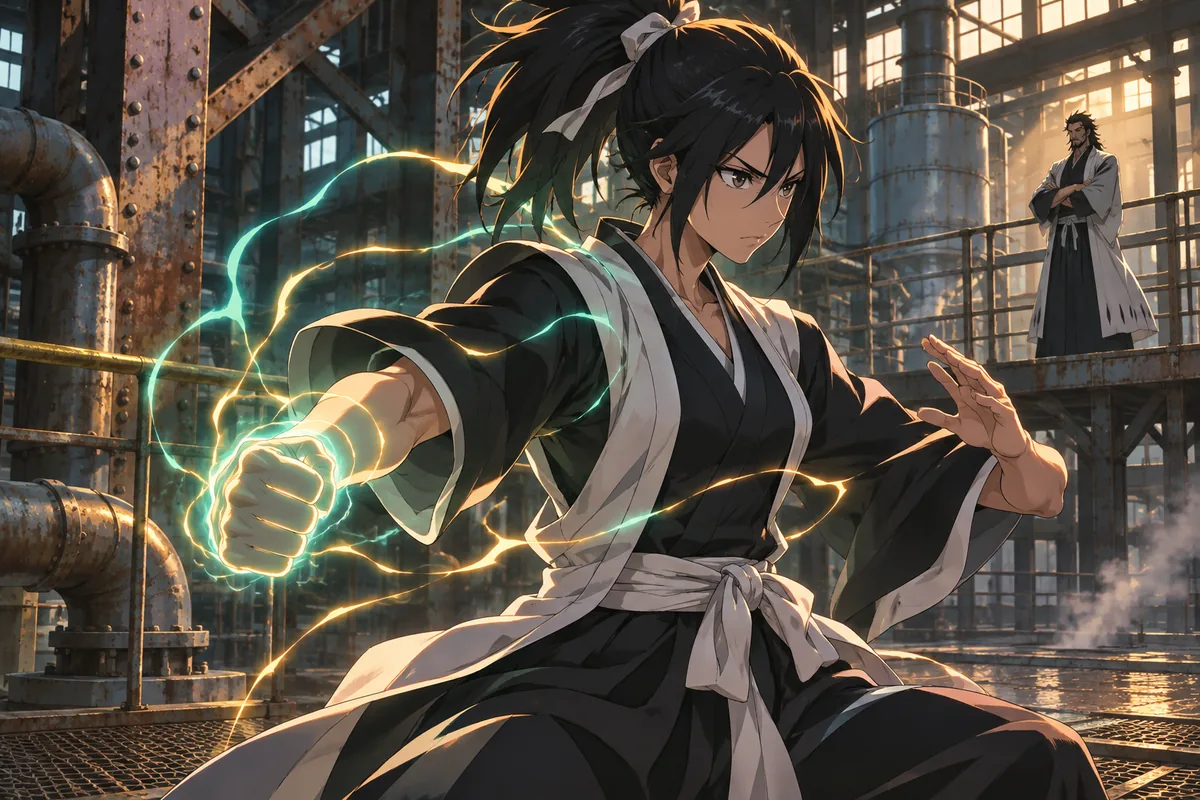
Before the quest
Find the trainer and prepare for the quest
The most common reason players think Shunko is unavailable is that they search the wrong page or wait for a race-specific NPC. The update reports describe a Human World factory location and training that is open to every race. That makes the first job navigation, not a reroll. Enter the area through the route you already know, then scan the factory floor, nearby platforms, and marked interaction points instead of fighting random mobs until a drop appears.
Before you talk to the trainer, make room in your inventory and note your current gauntlets. A clean inventory makes it easier to tell whether a quest reward arrived, whether a gauntlet was consumed, and whether you returned the right item. If the trainer has no prompt, leave combat, wait for the interaction marker to refresh, and read the full dialog again. Do not rely on a copied cost or a video timestamp when the live prompt says something else.
Start in Human World
Use the Human World factory as the navigation anchor. The article does not claim a pixel-perfect spawn point because live maps and entrances can shift.
Check your inventory
Record which gauntlets you already own before accepting the quest. This prevents a drop from looking missing when it is already in a different inventory tab.
Read every prompt
The trainer dialog is the current source for requirements. If it changes after an update, follow the prompt and report the change rather than forcing an old route.
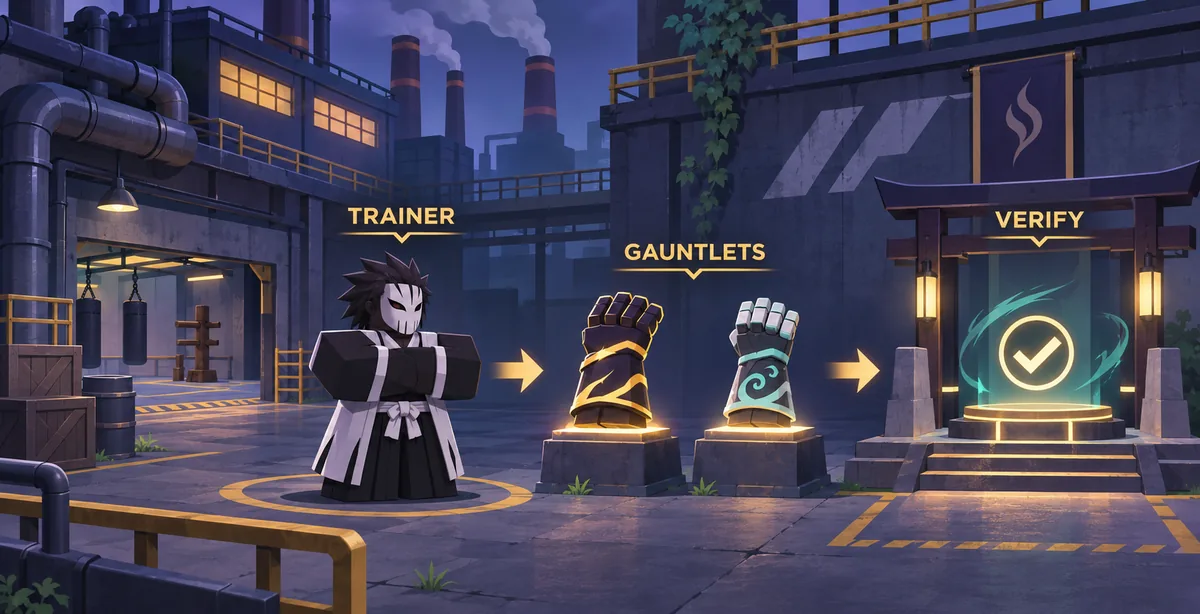
Quest steps
Complete the Shunko quest steps
Follow the steps below as a checklist, but keep the server prompt in view. Public coverage uses names such as double gauntlets and royal gauntlets when describing the Shunko quest. Because those names and drop behavior can be patched, the safe method is to use the exact item label shown by your trainer, then verify the item in the inventory before moving on.
A party can make a difficult collection route faster, but the unlock flag still belongs to the character who accepts and completes the trainer interaction. Ask teammates to help with travel or combat, then return to the trainer yourself.
Accept the trainer quest
Select the Shunko conversation in the Human World factory and accept the task. Screenshot or write down the item names, the return instruction, and any warning about race, tier, or inventory space. If the text is locked, finish the dialog before leaving the area.
Identify the required gauntlets
Open the quest and inventory panels together. Match the exact item names rather than assuming every gauntlet is interchangeable. Look for the two collection entries described by the prompt, and keep unrelated weapons or cosmetic items out of the hand-in slot.
Collect the first drop
Travel to the current source named by the quest and complete the relevant fights or event. Watch the pickup message and inventory count. If the source is crowded, change servers only after recording the objective so you do not lose the accepted quest state.
Collect the second drop
Repeat the same verification for the second gauntlet. A missing pickup can be an inventory filter, a full slot, a delayed server message, or a genuinely unsuccessful drop. Reopen the inventory before farming the same encounter again.
Return and train
Go back to the Human World factory trainer, submit the required items, and wait for the completion message. Do not leave after the hand-in animation starts. Open the ability or race menu, equip the new option if the game asks, and confirm that T1 training is visible.
Stop and check before you farm again
- Quest state: The trainer dialog says the collection is complete or moves to training.
- Inventory: The two named gauntlets are present, consumed, or shown as accepted; do not guess which state occurred.
- Ability menu: A Shunko or T1 entry appears after the return interaction, even if a separate equip action is required.
- Server refresh: If the flag is missing, rejoin once and check the trainer and menu before repeating a long farm.
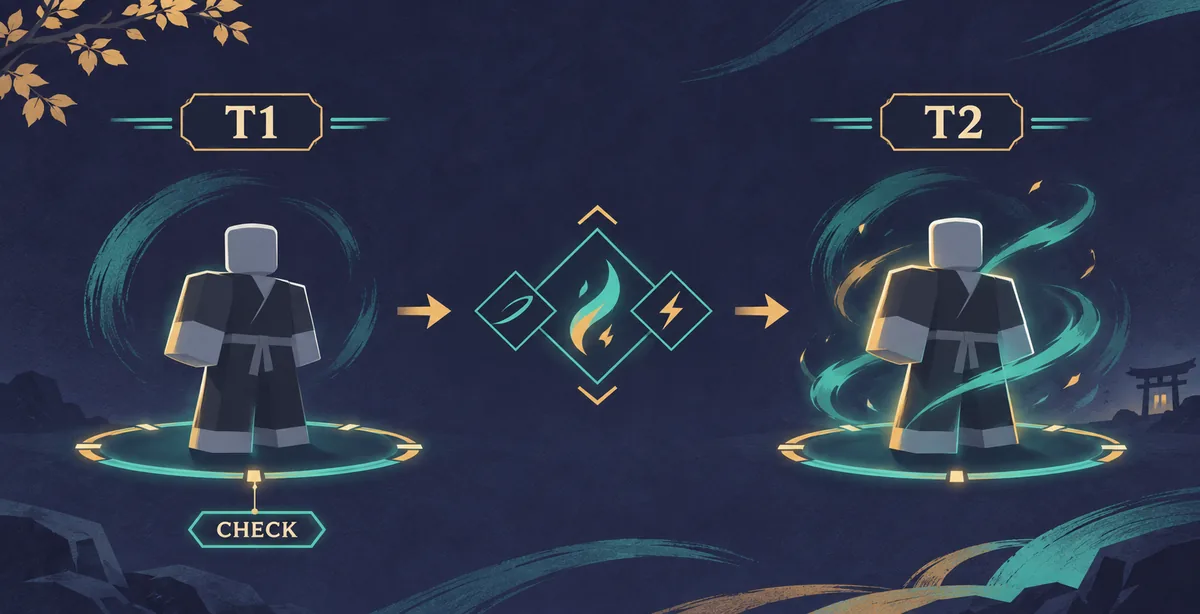
Training verification
Verify Shunko T1 and T2 training
The Shunko update is discussed in two training tiers, T1 and T2. A tier label by itself is not proof that the ability is usable, so test the state in three places: the trainer dialog, the ability or race menu, and one low-risk combat encounter. This gives you a repeatable check without pretending that a public recap contains every current requirement.
Start with T1. Look for the unlock entry, read its status, and equip it only if the menu provides an explicit action. Use a safe enemy or training area to confirm that the input produces the expected movement or attack response. Then review the trainer again for T2. Do not skip directly to a rumored T2 farm while the T1 flag is unresolved.
The site treats the October 4 patch reports as update context, not a permanent rules file. If your server shows a different tier name, cost, cooldown, or quest order, record the exact wording and date. That evidence is more useful than a copied number without a source.
Trainer status
The trainer acknowledges the hand-in or presents the next tier instead of repeating the original collection request.
Menu status
The ability or race menu lists Shunko with a clear unlocked, trained, or equip-ready state.
Combat test
A low-risk encounter confirms that the visible input works. Stop if the game shows a cooldown, requirement, or missing resource message.
T2 handoff
Only after T1 is visible should you follow the current T2 prompt and repeat the same three checks.
Troubleshooting
Fix a missing trainer, drop, or training prompt
Use the smallest check that explains the failure. Farming for another hour is rarely the first answer when the quest flag, inventory view, or server state is the real problem.
The trainer has no Shunko dialog
Leave combat, move away from the interaction point, and re-enter the factory. Read the full dialog and confirm that you are using the same character that owns the quest. If the prompt remains absent, record the server and patch date before asking the community.
A gauntlet seems to be missing
Search every inventory tab, remove filters, and compare the exact item label with the quest text. Check capacity and pickup notices. Rejoin once before repeating a long fight, because a delayed server message can hide a successful pickup.
The hand-in happened but T1 is not visible
Wait for the completion message, reopen the ability or race menu, and check whether the option needs to be equipped. Rejoin once and speak to the trainer again. Do not claim a new drop requirement until these checks are complete.
A video uses different names
Treat the video as navigation context, not a permanent database. Compare its date and patch with your server, then follow the live prompt. The page deliberately avoids inventing a fixed drop rate or cost.
Source boundaries
What the Shunko update confirms and leaves open
The public update coverage reviewed for this page consistently connects Shunko with training, the Human World factory, T1/T2 terminology, and a wider race-access change. That is enough to justify a focused route page. It is not enough to publish a universal drop percentage, a permanent NPC coordinate, or a promise that every server uses the same quest text.
Use the official Roblox experience to launch the game and the current in-game prompt to make the final decision. Use the Trello and Discord links on this site for source checking when a patch changes the route. This page is an independent fan guide, not a developer announcement, script, executor, item seller, or download page.
If you are still building your character after the unlock, move to the build-points or weapons guide. Those pages answer different questions and should not replace the collection and training checks described here.
Next steps
Continue with the right VV Ultimatum guide
Once Shunko is visible, choose the next page based on the problem in front of you. Keep this Shunko quest page bookmarked if you need to repeat the route after a reset or update.
FAQ
How to get Shunko in VV Ultimatum: FAQ
Checked sources
Sources and update notes
This guide uses a bounded review of public update coverage and the site's existing source-check pages. The article keeps uncertain live mechanics qualified instead of turning a recap into a permanent rule.
- Official VV Ultimatum Roblox experience Launch and identity check; use the live game prompt for the current quest.
- AllThings.How Shunko update coverage Reviewed for update context, T1/T2 terminology, and the factory trainer reference.
- SportsRant VV Ultimatum update recap Reviewed as a second independent recap; it does not replace live verification.
- Site source-check guide Use the internal page to recheck community links after a patch.