Direct answer
The safest VV Ultimatum Roblox link is the official game page
The official VV Ultimatum Roblox entry is the Roblox game page with game ID 6270290407. If your goal is simply to play, start there instead of a mirror, ad-heavy play page, executor page, pasted Discord invite, or third-party download claim.
This page exists because searches for VV Ultimatum, VV Ultimatum Roblox link, VV Ultimatum Discord, and VV Ultimatum Trello often mix navigation intent with guide intent. A player who only wants the game link should not have to test unrelated pages or guess whether a reward generator is legitimate.
VVUltimatum.blog is an independent fan wiki. We link out to Roblox and explain source checks; we do not host the game, downloads, scripts, executables, private servers, or reward tools.
For July 2026, the important link check is still the game identity, not a copied button. If a search result, Discord message, or short link does not resolve to the Roblox experience with game ID 6270290407, treat it as unverified until you can trace it back to Roblox or a developer-owned source.
If a page says you must install a file, paste a script, or enter your Roblox password to play VV Ultimatum, treat it as unsafe and return to Roblox.
Verification route
How to verify the VV Ultimatum game page before playing
Roblox experiences can be copied, renamed, temporarily closed, or surrounded by low-quality pages. Use a simple source chain before you trust a link.
Check the domain first
Use a normal roblox.com game URL. Do not sign in through shortened links, copied login forms, browser extensions, or external launchers.
Match the game identity
Look for VV ULTIMATUM, the game ID 6270290407, recent update notes, and community links that appear inside the Roblox page rather than only on random websites.
Read the Roblox description
Developers often place group, Discord, update, or code notes in the Roblox description. Treat that page as the anchor before following any community source.
Open community links from official context
If you need Discord, Trello, or update posts, prefer links that are reachable from Roblox or other developer-owned channels, then compare them with this wiki guide.
Return after updates
When VV Ultimatum is private, moved, or updated, wait for official Roblox or developer community notes instead of trusting reupload pages.
Source map
Roblox link, Discord, Trello, and codes are different source types
Many VV Ultimatum searches look similar, but each source answers a different job. Mixing them can lead to stale codes, broken invites, or unsafe play claims.
| Player intent | Best source | Use it for | Avoid |
|---|---|---|---|
| Play VV Ultimatum | Official Roblox game page | Launching the experience and checking current availability | Fake play-online mirrors and download pages |
| Find new codes | In-game code panel, Roblox notes, verified community posts | Checking active rewards before rerolling | Old copied code lists with no checked date |
| Join Discord | Invite from Roblox or developer-owned source | Announcements, update notes, community support | Random invites asking for passwords or executors |
| Use Trello or wiki data | Public board only when verifiable, plus wiki cross-checks | Mechanics, clans, routes, source notes | Private boards copied as permanent facts |
| Choose build direction | Wiki guides plus current update notes | Faction, clan, Soul Reaper, and tier-list planning | Patch-blind rankings with no rationale |
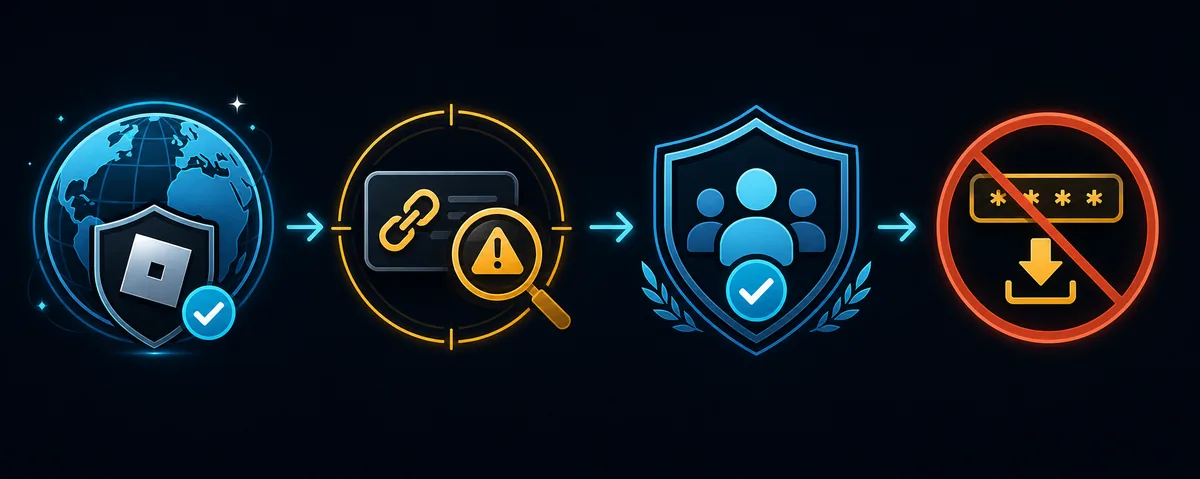
Safety notes
Red flags around fake VV Ultimatum links
A normal Roblox game link does not require anything outside Roblox except your usual Roblox account session. Be cautious when a page adds extra steps that Roblox itself does not require.
- Do not download executables, launchers, APK files, or browser extensions that claim to unlock VV Ultimatum.
- Do not paste scripts, run executors, or install reward tools for codes, rerolls, shards, or clan changes.
- Do not enter your Roblox password on any page that is not a legitimate Roblox login flow.
- Do not trust pages that promise unlimited rerolls, free premium currency, or private server access outside Roblox.
- If a Discord invite looks suspicious, return to the Roblox game page and check whether the same invite is listed there.
Next steps
What to check after opening VV Ultimatum on Roblox
Once you are on the real Roblox page, use the next five minutes to reduce wasted rerolls and stale guide advice.
Check codes before rerolling
Open the codes guide and verify active rewards before you spend clan, weapon, or color rerolls.
Verify Discord from source
Use the Discord guide to separate real announcement channels from copied or expired invite chains.
Pick a faction route
Read the factions guide before locking a progression identity or judging your build too early.
Plan Soul Reaper progression
If you choose the Soul Reaper route, follow the Shikai and build-prep sequence before chasing tier-list claims.
Related guides
Continue from the official link into guide content
The Roblox link solves access. These pages handle the decisions that come after you join the game.
FAQ